Aug. 24, 2026
Are you tired of overspending on HDMI cables that don't meet your needs? You’re not alone. Many consumers face issues with expensive cables that underperform or fail prematurely. Fortunately, by following expert advice from HDMI cable manufacturers such as LENSHUO, you can discover effective cost-saving tips. This guide will provide practical suggestions that not only help you save money but also ensure you get the optimal performance from your HDMI cables. Say goodbye to frustration and hello to efficient, budget-friendly solutions!
Why: Knowing what type of HDMI cable you need can prevent unnecessary purchases.
Operation Method: Assess the specifications of devices you plan to connect. For instance, 4K video requires HDMI 2.0 or higher. If you’re connecting devices for standard HD use, a standard HDMI cable will suffice.
Suitable for: Users with multiple devices that have varied requirements should prioritize purchasing cables based on device specifications.
Why: Purchasing multiple HDMI cables at once can yield significant savings.
Operation Method: Look for retailers or manufacturers like LENSHUO that offer discounts on bulk orders. Typically, you can save anywhere from 15% to 30% compared to buying single units.
Suitable for: This strategy is beneficial for schools, businesses, or tech enthusiasts who require several cables.
Why: Higher-quality cables may have a higher upfront cost, but they save you money on replacements.
Operation Method: Research brands with a reputation for durability and performance. Quality cables often last longer, reducing the frequency of replacements. According to a study by the Consumer Electronics Association, high-quality HDMI cables have a failure rate of less than 5% over five years.
Suitable for: Users looking to invest in a long-term solution instead of temporary fixes will benefit from this approach.
Why: Ensuring compatibility can prevent purchasing cables that don’t work with your devices.
Operation Method: Before purchasing an HDMI cable, verify that it supports the necessary formats (like ARC, HDR, etc.) for your devices. Check manufacturer specifications online or in user manual guides.
Suitable for: This tip is essential for users with a home theater system, where compatibility can greatly impact performance.
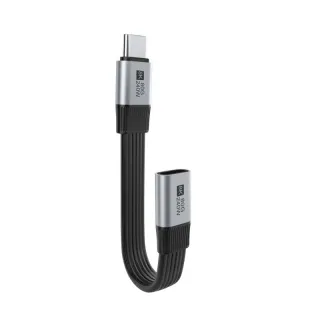
Why: Extension cables can extend the life of your existing cables without the need for new purchases.
Operation Method: If your HDMI cable is too short for your setup, consider using an HDMI extension cable instead of buying a new, longer cable. This can save costs and maintain the quality of your signal.
Suitable for: Ideal for users who rearrange their entertainment setups frequently or need to connect devices in different locations.
Why: Understanding the various HDMI specifications can enhance your purchasing decisions.
Operation Method: Familiarize yourself with terms such as HDMI 2.0, HDR, and High Speed. This knowledge will help you select cables that meet your needs without overspending.
Suitable for: Tech-savvy users or anyone who wants to make informed decisions about their HDMI purchases will find this beneficial.
What is the difference between HDMI 1.4 and HDMI 2.0?
HDMI 2.0 supports higher resolutions (up to 4K at 60Hz) and increased bandwidth compared to HDMI 1.4, which is capped at 30Hz for 4K.
Are all HDMI cables the same?
No, HDMI cables vary significantly in quality, speed, and supported features, which can affect overall performance and experience.
How do I choose the right HDMI cable for gaming?
For gaming, opt for high-speed HDMI cables that support 4K resolution and features like HDR to enhance your gaming experience.
By implementing these expert tips from HDMI cable manufacturers like LENSHUO, you can effectively manage your finances while ensuring you have the right connectivity solutions for your devices. Whether you're a casual user or a tech enthusiast, these strategies will help you maximize value and performance.
Give Us A Call
+86 136 6270 0743
Send Us A Message
Official Location
Shipai Town, Dongguan City, Guangdong, China

As source factory, we have the most strict requirements on quality and service. We can video the production process for clients and provide free samples for quality testing.
Navigation
Products
Media Center